AgriDigital
Making AgriDigital feel like one product
YEAR
2023
TIMELINE
2 months
ROLE
End-to-end design lead, working with Product and Engineering.
SUMMARY
AgriDigital is a grain management platform that had just gone through a full rebrand but the product hadn't caught up yet
I led the end-to-end design of AgriDigital's first design system. It was built from scratch to bring the platform in line with the new brand, fix the usability issues that had crept in over time, and give the team a foundation to build on going forward.
IMPACT
A system that paid for itself immediately
Components
40 components · 150+ style components
A complete library covering every use case on the platform, documented for designers and engineers alike.
Efficiency
55% reduction in design effort
Measured through a direct experiment - the same task completed twice, once from scratch and once using the system.
Adoption
100% of the platform redesigned
Every screen updated to reflect the new brand and design system from day one.
THE PROBLEM
The platform looked like it had been built by different teams, at different times. Because it had…
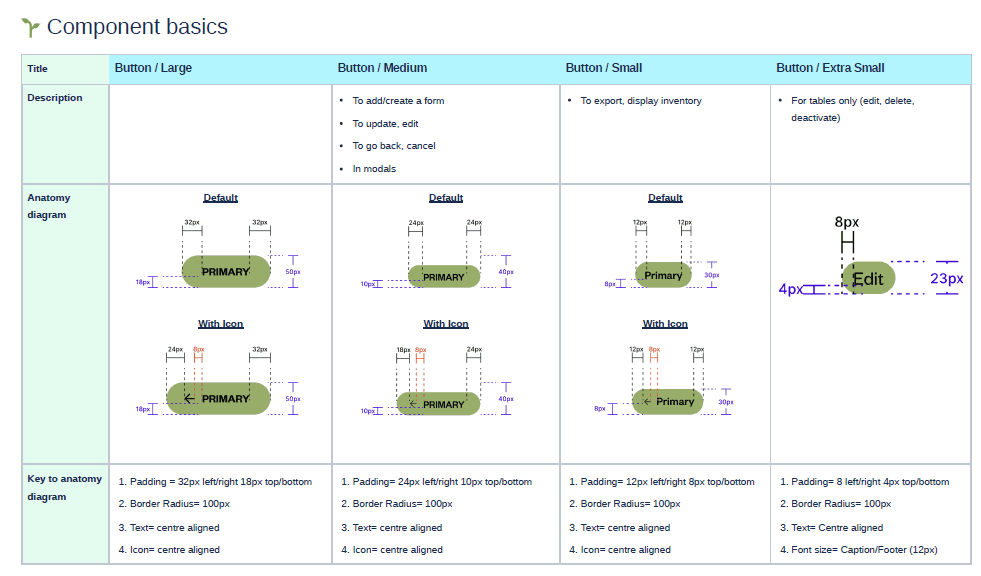
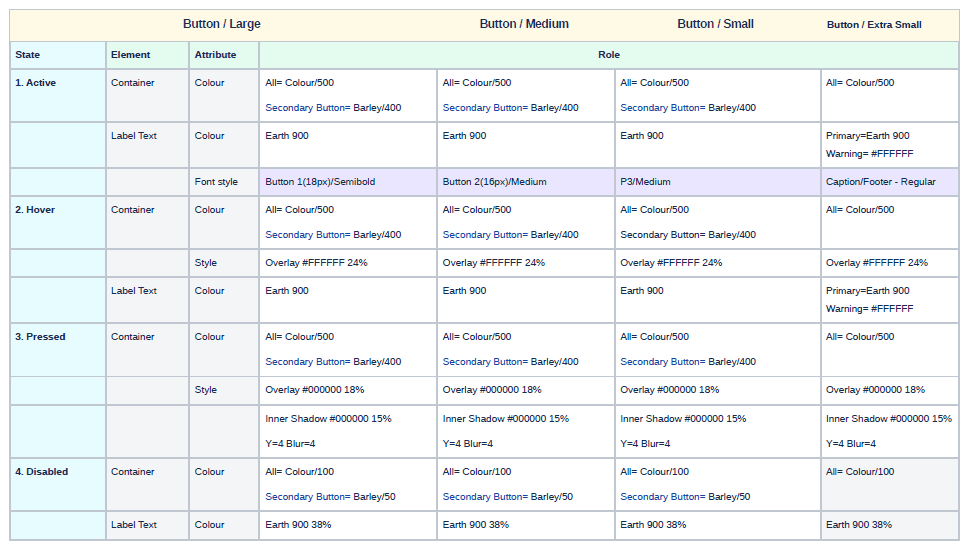
Buttons had multiple styles with no clear rules for when to use which. States were missing or mismatched. Layout hierarchy was hard to follow. There was no consistency in how labels were written. For users already unfamiliar with technology, an inconsistent interface made everything harder than it needed to be.
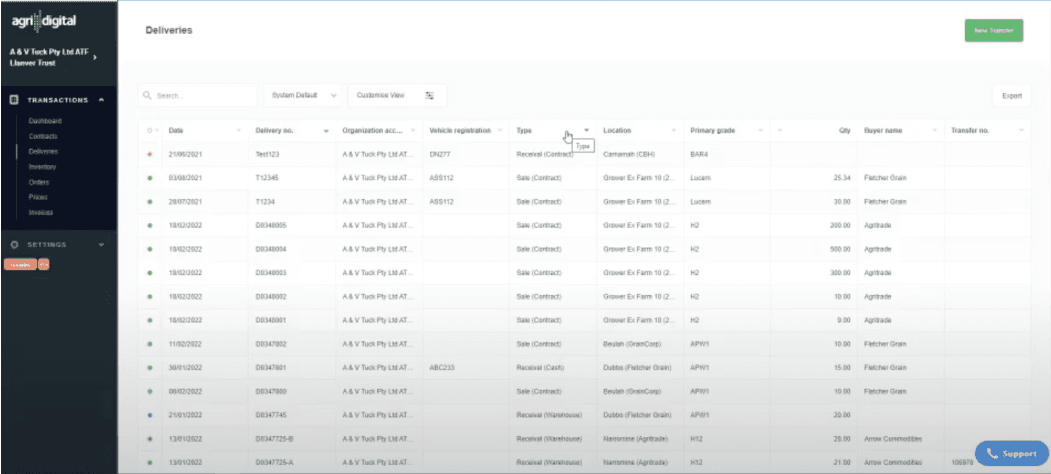
❌
AgriDigital Platform before the rebrand
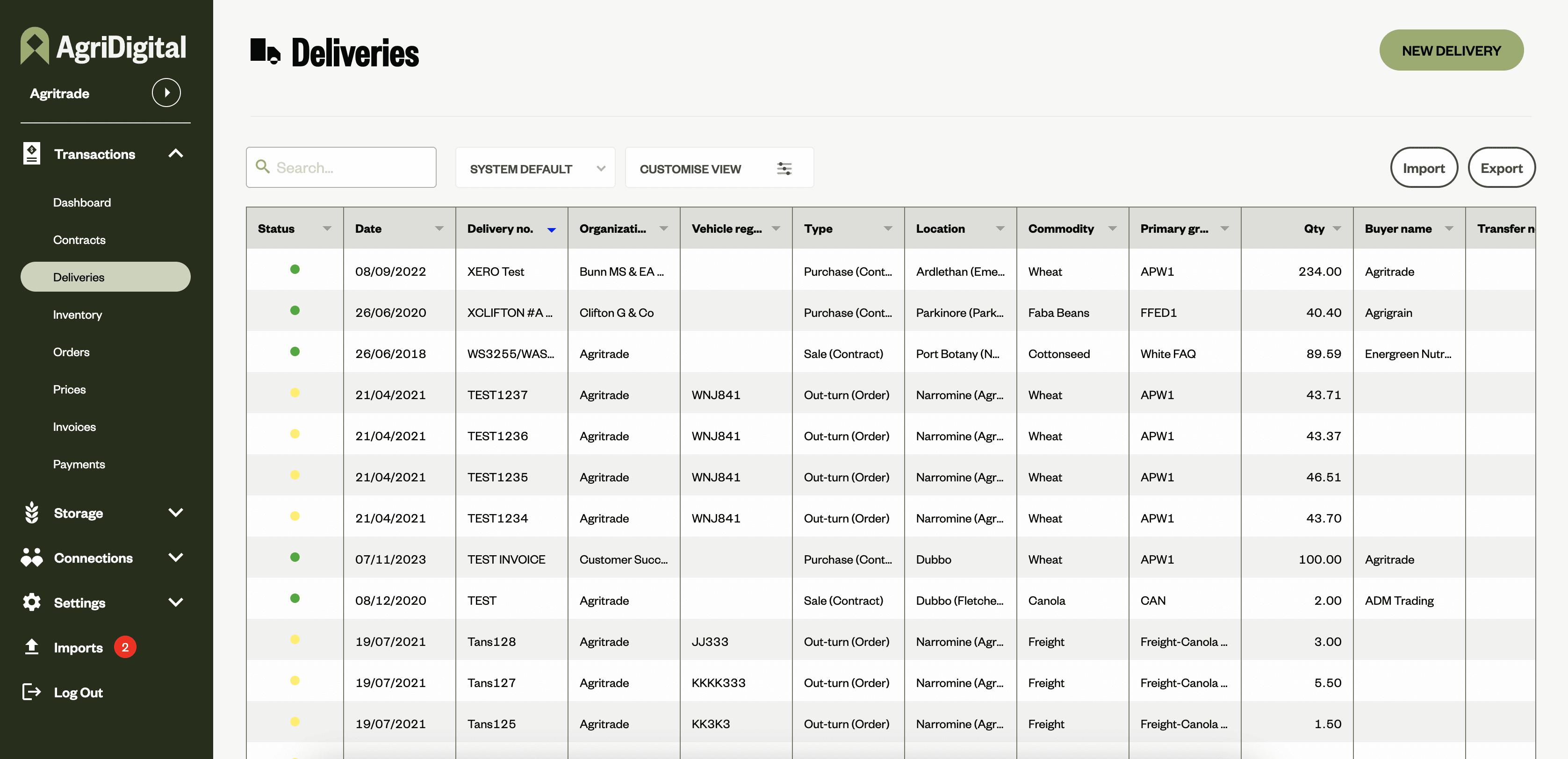
✅
AgriDigital Platform after the rebrand and the new design system
THE CONTEXT
This was my first project at Agridigital, and the starting point for everything that came after
The company had just completed a rebrand, but the platform hadn't caught up yet. When I joined, building a design system became the immediate priority, not just to reflect the new brand, but to create a shared language between design and engineering that didn't exist yet. Every component, pattern and guideline built here became the foundation the rest of the platform was built on.
STARTING WITH WHAT EXISTING
Before designing anything new, I documentated everything already on the platform
What components were being used, where, and why. It quickly surfaced the scale of the problem: buttons were the most inconsistent element, with multiple styles used interchangeably and no clear rules for when to use which. States were missing or mismatched. Layout hierarchy was hard to follow.
Documenting all of this was essential. It meant nothing got missed, and it gave the team a shared view of what we were actually working with.
🤔
What components are currently being used?
🧐
Where are these components used?
🤨
Why are they used?
WORKING WITH BRAND GUIDELINES
The rebrand had already made the core decisions, my job was to extend them into a system
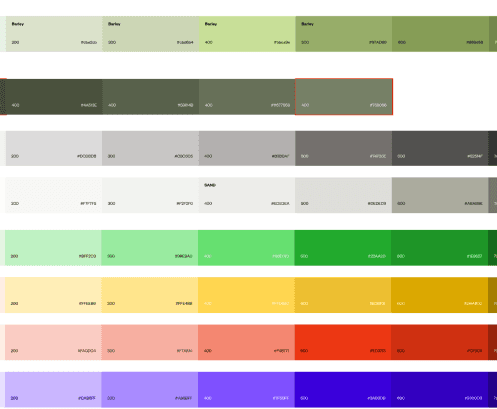
Colours, typography and rounded buttons were defined. What didn't exist yet was everything in between: the disabled states, error states, hover states, background colours, text hierarchy, and component variants needed to make a platform actually work.
I took the brand colours and expanded the palette to cover every use case while keeping accessibility in check.
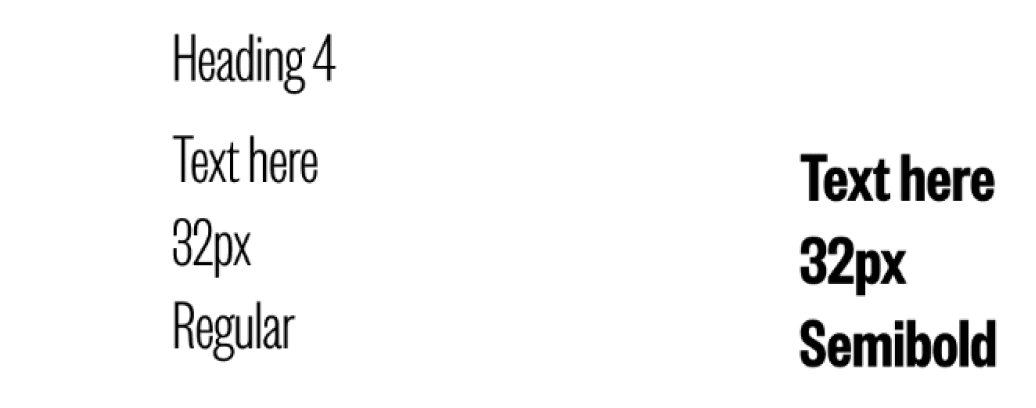
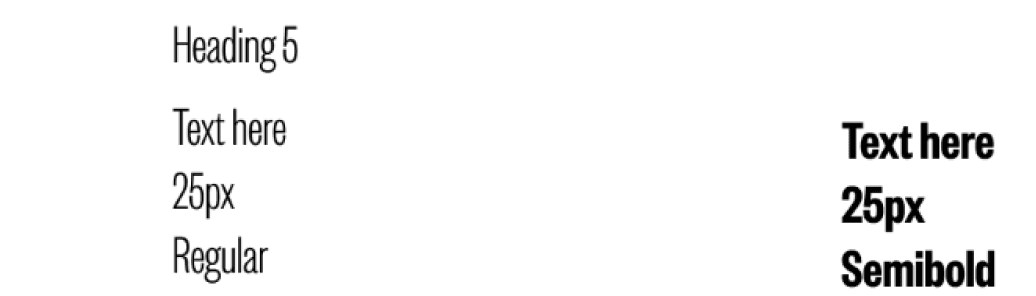
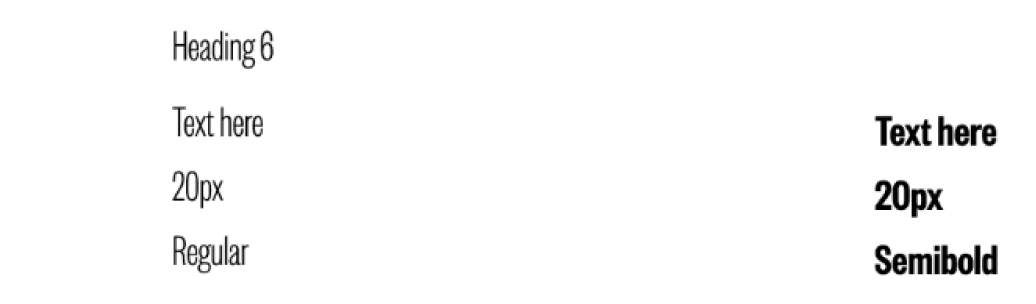
Same approach with typography using the brand typefaces as a base, then building out a coherent set of text styles that created clear hierarchy across the platform.
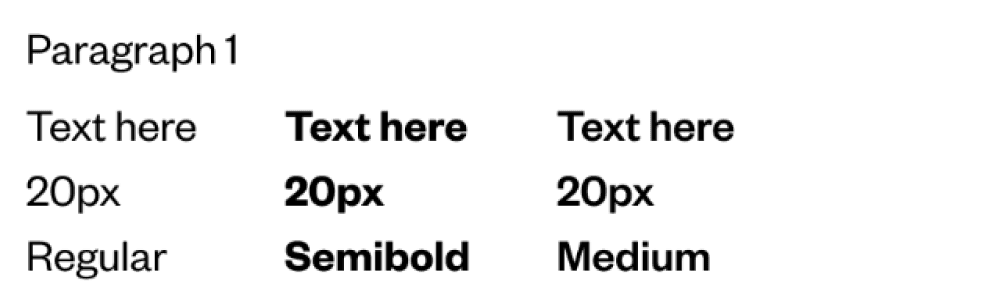
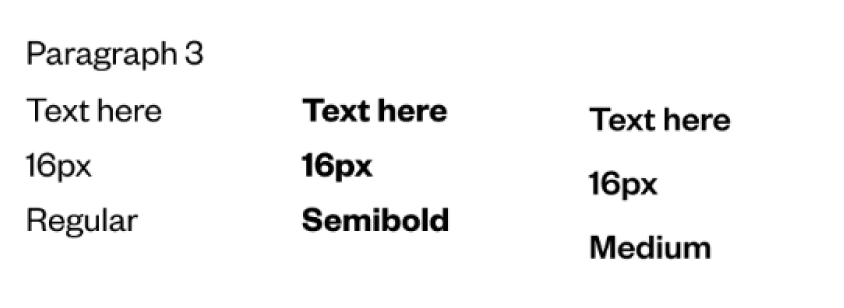
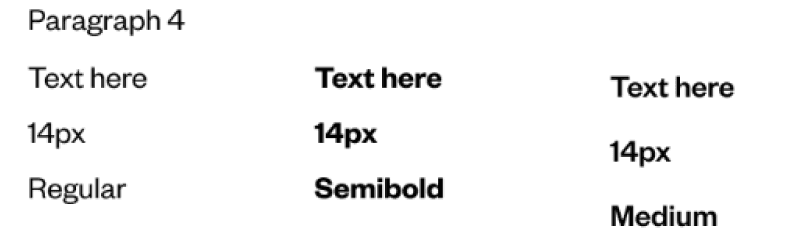
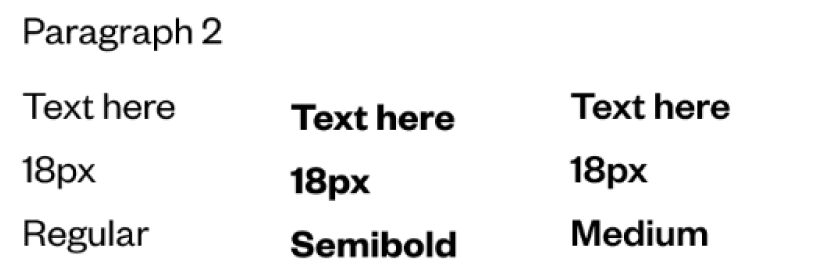
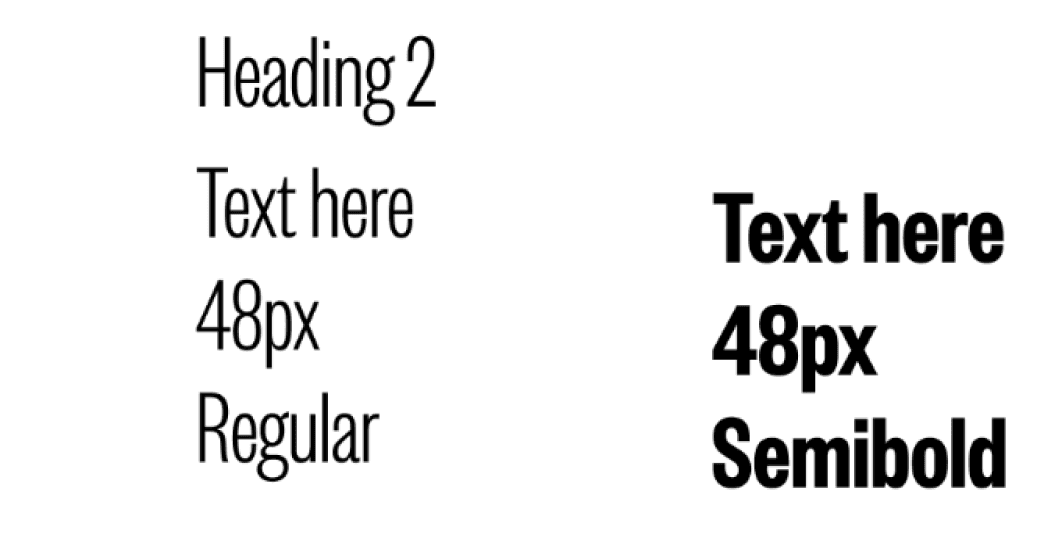
I also referenced established design systems such as Material Design, IBM Carbon, Decathlon, to understand how others had solved similar problems and apply what was relevant.
BUILDING IT COLLABORATIVELY
A design system only works if engineering actually uses it
I ran weekly check-ins with product and engineering throughout the process. We reviewed components before they were finalised and worked through decisions together. Questions like whether a component needed to be built from scratch or could use an existing front-end library, and whether a design decision would hold up as the product grew.
This meant fewer surprises at handoff and no last-minute changes that would break consistency before launch.
WHAT WAS BUILT
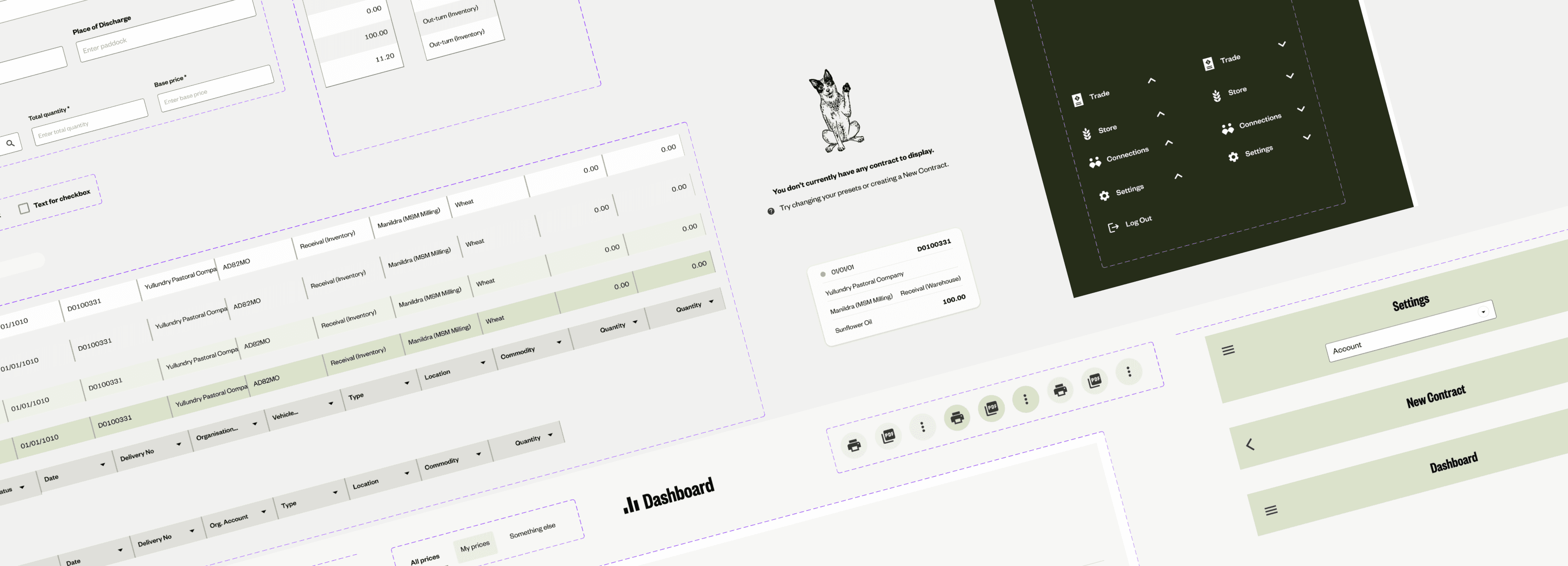
40 components and 150+ style components
The improvements showed up immediately across the platform:
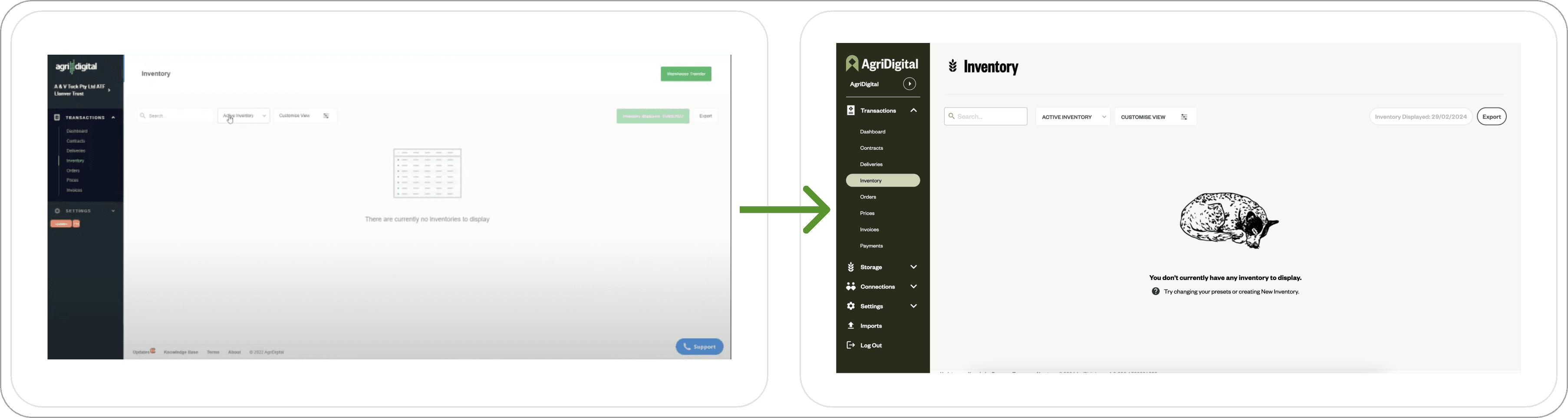
Empty states were redesigned to guide users on what to do next, with new branded illustrations that made them feel less like dead ends.
Tables introduced distinct button types to create hierarchy within the page, making it clear where to look and where to navigate. Accentuated contrast on table rows improved readability.
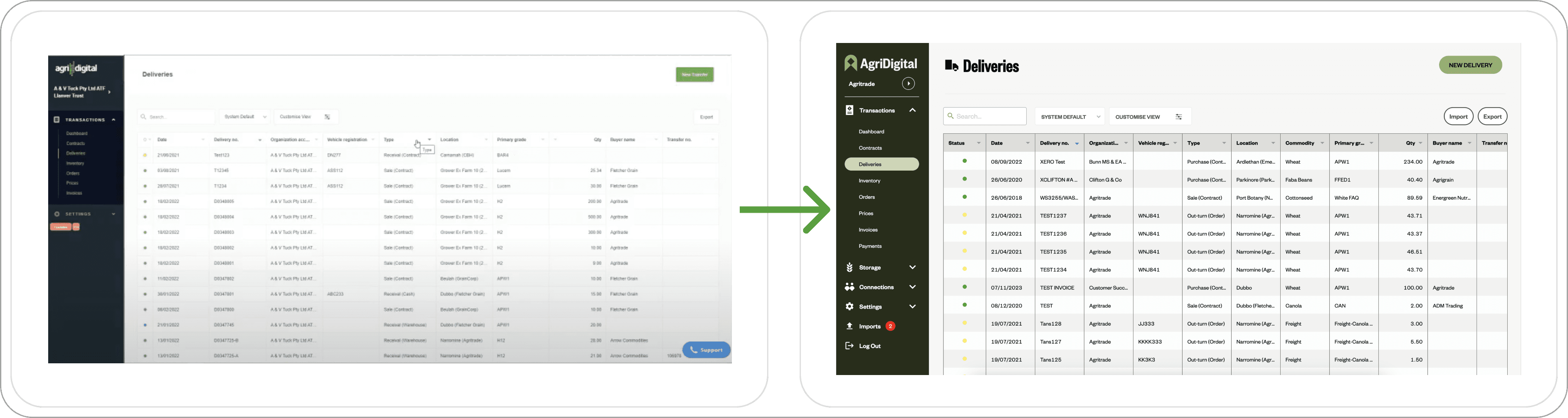
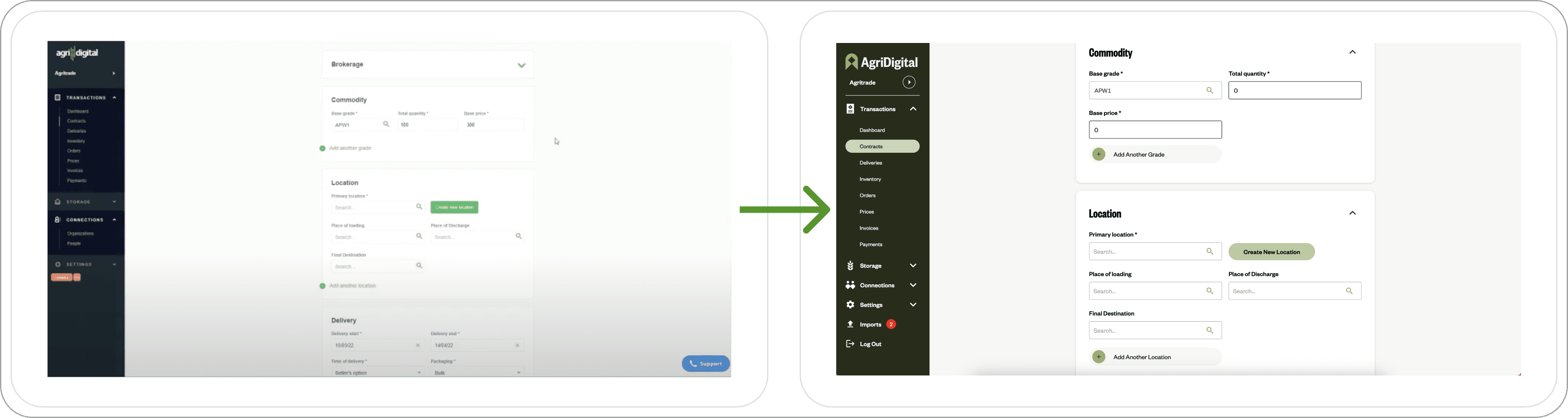
Forms introduced proper input field states (including a selected state) so users could scan the page and immediately know which fields still needed filling in.
Before handoff, I ran a design QA pass to catch any inconsistencies before they reached customers.
PUTTING IT TO USE
The real test of a design system is what you build with it next
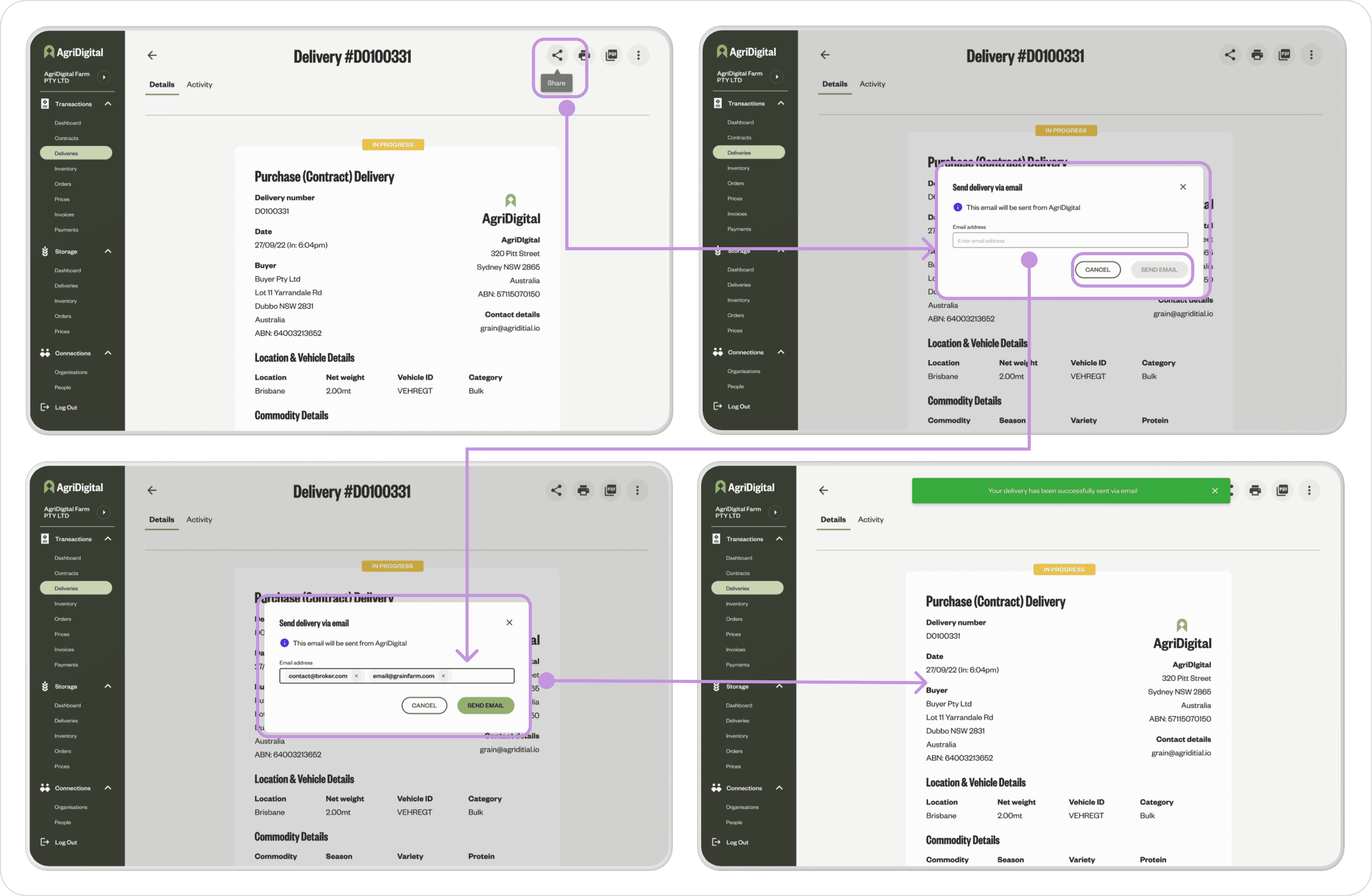
Not long after the design system launched, I used it to design a new feature which allowed users to share artefacts with others. Buttons, modals, tooltips and banners were all pulled straight from the system, already built with the right states and variants to handle the feature's different scenarios.
👍🏻
100% of users in testing found the feature easy and intuitive to use
because it looked and felt like everything else they already knew on the platform.