Easy Agile
Rebuilding Easy Agile Roadmaps for the entreprise
YEAR
2024 - 2025
TIMELINE
12 months
ROLE
End-to-end design lead and acting product manager (6 months), working with Product and Engineering.
SUMMARY
Easy Agile Roadmaps had been in maintenance mode for two years, the market had moved on
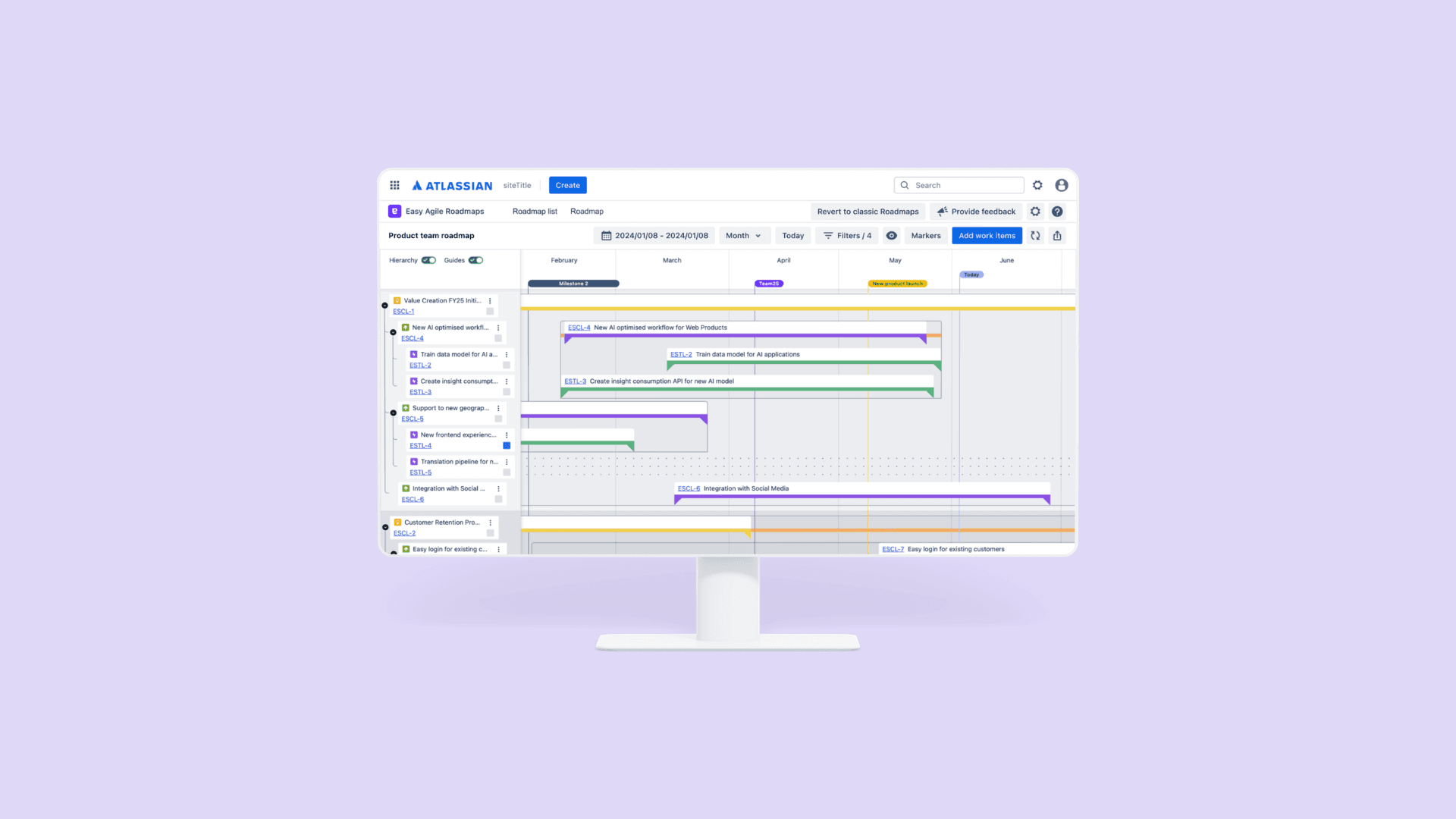
Easy Agile Roadmaps is a Jira native roadmapping tool built by Easy Agile on Jira Marketplace. When I joined, the product hadn't seen active development in over two years.
Churn was accelerating, ~50% of customers were leaving within six months, and competitors were growing. The product worked well for individual teams, but enterprise customers needed something it fundamentally couldn't do: plan and communicate work across team, group, and company levels simultaneously.
The decision had been made to rebuild from scratch. I joined at the start of that rebuild.
IMPACT
Built for the scale the old version never had
Delivery
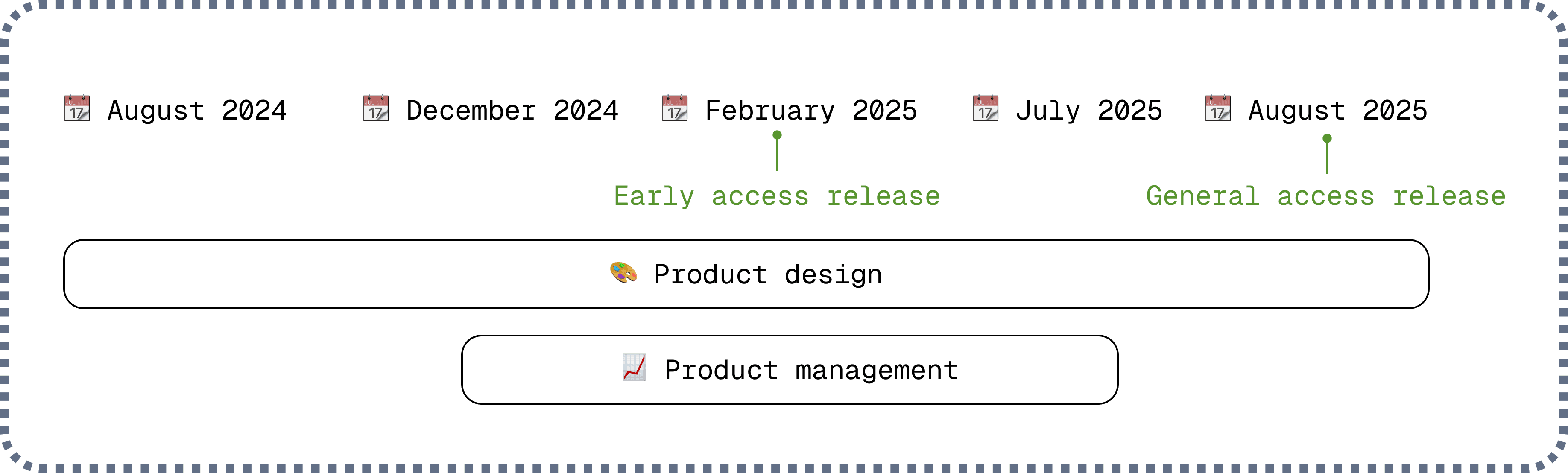
From early access to General Access in 6 months
Launched to evaluators in February 2025, reached general availability in August, with a phased rollout to existing customers underway, working toward full enterprise coverage
Scope
Redesigned 6 core features for enterprise scale
Existing features were all redesigned to work across multiple levels and a significantly more complex UI
Hierarchy
62% of active users engaged with the hierarchy view
Across the early access period and became the second most used view at GA, used in 43% of sessions
Entreprise scale
30% of roadmaps created used more than one Jira board
Showing users were actively planning across teams and levels, the core use case the rebuild was designed to support
THE PROBLEM
A team-level tool in a world that had moved on
Easy Agile Roadmaps’ existing customers loved it for its simplicity: easy to set up, low friction, clean UI. But that simplicity had become limiting. Enterprise customers needed to see work across multiple levels at once, and the product couldn't support that. Roughly half of new customers were gone within six months, and competitors were growing.
The brief was to reach feature parity with the existing product while redesigning everything to work at team, group, and company level without losing its simplicity.

REDESIGNING FOR SCALE
Every existing feature had a new job to do
Without direct access to customers, I grounded each redesign in what was available: existing support tickets, customer feedback, and competitor research, to understand what was working, what wasn't, and what the new scale would demand.
To keep the team moving fast, I'd present designs, collect feedback, and align on what to tackle next every week. Workshops with the team were built into the same cadence to explore ideas together or pressure test what was technically feasible.
Markers
Markers needed to work on a much busier canvas without overwhelming it. I also took the opportunity to give users more control over what they saw on the roadmap.
🧓🏻
Before
Markers used full background colour across the timeline. On a busy enterprise roadmap with multiple hierarchy levels, this made the UI unreadable.
🚀
After
A vertical line marks the start date, with full colour fill only on hover. I also introduced view settings; a toggle panel for date and version markers. This pattern extended to other roadmap elements too.

Filters
The legacy product only had Atlassian's native quick filters. For the new version, we wanted dedicated filters for issue type and status. The challenge was that filters had to work across two different views: a hierarchy view, where filtering by issue type wasn't technically viable, and a theme view, where it was.
I also looked at how two other Easy Agile products handled filters to keep the approach consistent across the suite.
🧓🏻
Before
Only Atlassian quick filters. No dedicated filtering for multi-level roadmaps.
🚀
After
Hierarchy view filters by level. Theme view filters by issue type. 2 views, 2 different filtering approaches, each matching how users think in that context, and designed to accommodate more filter types without a future redesign.

Date syncing
Date syncing controls whether changes made on the roadmap are sent back to Jira, keeping both in sync, or letting users plan independently.
🧓🏻
Before
Configured through a buried settings panel. A bell icon turned blue when syncing was on. Turning it off wasn't a supported workflow.
🚀
After
A toolbar button on the roadmap gives direct access to the toggle at any time. Turning sync off surfaces pending changes to review and publish manually. Turning it on publishes everything.

BUILDING WHAT DIDN’T EXIST
The new version needed capabilities the legacy product never had
The hierarchy view
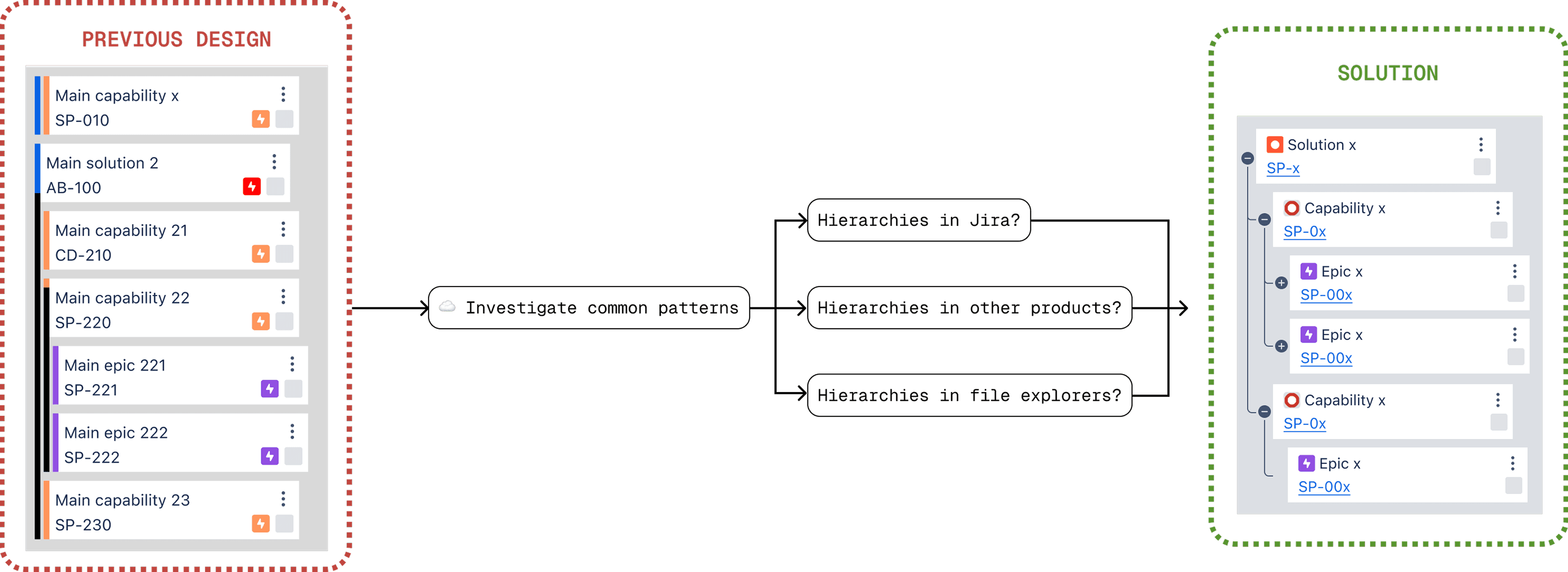
The first version of the hierarchy view, designed before I joined, used coloured vertical rectangles to indicate hierarchy level. One rectangle meant parent, two meant child, three meant grandchild. An internal survey and a customer interview confirmed that few people understood what it represented.
I replaced it with a collapsible tree structure using standard expand/collapse controls, the same pattern used everywhere from file explorers to project management tools. It became instantly readable because users already knew how to read it.
The Create Roadmap workflow
In the legacy product, roadmaps were tied directly to Jira boards and there was no standalone creation flow. Adding date syncing as a configuration step made the limitations of the basic modal obvious, and it was the right moment to do it properly.
I redesigned it as a stepped workflow on its own page. Each step gets full focus, and users arrive at their roadmap with everything already set up rather than discovering settings later.
At each step, a live hierarchy preview updates based on the boards selected. Users get a glimpse of what their roadmap will look like before they've even created it. A small thing, but it gives them a sense of the value they're about to get.

ACTING AS A PM
Six months of wearing two hats
When the product manager transitioned into an acting Head of Product role, I used this as an opportunity to step into an acting Product Manager role. For six months I took on sprint prioritisation and delivery alongside the design work.
It changed how I designed. Every decision had to be something we could actually ship. I got faster at identifying the smallest version of something that still solved the problem.
About two months in, I shipped the product to early access. That early access period ran until August, when the product was ready for general access. By then a new PM had joined, and the foundation was solid enough that she could hit the ground running.
THE OUTCOME
A roadmapping tool that works at every level
The new EAR launched to general access in August 2025, rolling out to existing customers in phases by organisation size, with enterprise customers in the final tier.
Hierarchy view engagement held consistently between 56% and 81% of active users throughout the early access period, by August it was the second most used view, used in 43% of sessions. Scenario planning activity nearly doubled between February and August, a signal that the date syncing redesign was enabling workflows the old product couldn't support.

WHAT I’D DO DIFFERENTLY
Discovery under constraint is still discovery
Access to customers was hard throughout this project, and most validation happened late. If I were doing it again, I'd push harder and earlier to get even one or two enterprise customers involved during the redesign.